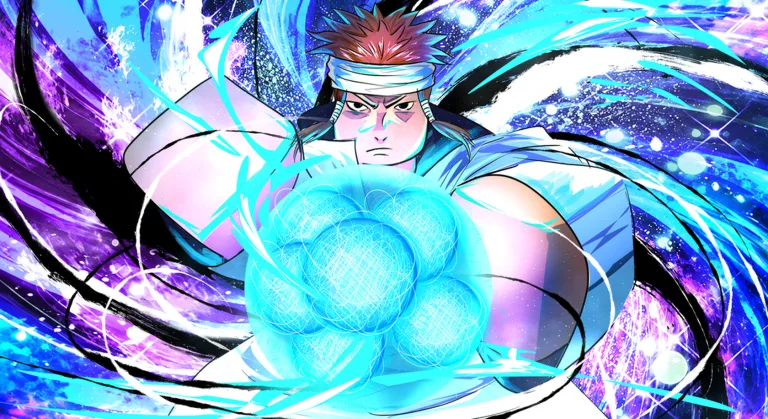
Ninja Time How to Get Custom Items: Complete Guide & Tips
Discover Ninja Time how to get custom items, including hair, masks, and clothing. Learn the best methods to personalize your character in this Roblox hit.
Published: Ninja Time Wiki Editorial Team
Video Guide
How To Get CUSTOM ITEMS In Ninja Time! | RobloxTable of Contents
In the fast-paced world of Ninja Time on Roblox, standing out from the crowd is just as important as mastering your elemental abilities. If you have been wondering about Ninja Time how to get custom items, you are certainly not alone; many players are looking to express their unique style through custom hair, masks, and clothing.
Customizing your character not only elevates your visual presence during intense boss raids but also provides a sense of ownership over your ninja journey. Understanding the mechanics of the game's custom system is essential for any player aiming to look their best while climbing the ranks.
Understanding the Customization System
The developers at Boss Studio x Luxinn Games have integrated a robust customization menu that allows for deep personalization. When you open your main menu, you will notice an "Extra" tab which houses the "Custom" section. This is the hub for all your aesthetic needs.
According to community reports, the system is split into free-to-customize options (using Toki currency) and premium features that require Game Passes. Here is a breakdown of what you can currently modify:
Feature
Requirement
Notes
Sage Mode Toe Color
Maxed Sage Mode
Unlocks once requirements met
Chakra Color
Toki Currency
Changes your aura/charging color
Custom Faces
Game Pass
Tied to specific awakenings
Custom Hair
Game Pass + Toki
Requires Roblox Marketplace ID
Custom Clothing
Game Pass
Primarily for 2D clothing layers
Step-by-Step: How to Get Custom Hair
Custom hair is one of the most requested features by the community. It allows you to import virtually any hair style available on the Roblox marketplace directly onto your avatar.
Visit the Roblox Marketplace: Navigate to the "Body" section and filter by "Hair."
Select Your Style: Find the hair you want to use.
Copy the Asset ID: Look at the URL in your browser; the long string of numbers is your Asset ID.
Apply in-game: Open the "Custom" menu in Ninja Time, paste the ID into the designated input box, and save your changes.
Player Tip: Be careful when choosing items. Some hair assets include masks or glasses. If you only want the hair, ensure you are selecting a standalone hair asset to avoid unintended accessories appearing on your face.
Managing Custom Masks and Clothing
If you want to know Ninja Time how to get custom items like masks, you must understand the difference between 2D and 3D assets. Masks typically function using texture image IDs.
To apply a mask, you generally need to find the specific image ID associated with the accessory. Players often search for "Over-the-mask" assets on the marketplace. Once you have the image ID, navigate to the Custom menu, select the mask option, and input the ID.
Custom Item Type
Primary Use
Acquisition Method
3D Masks
Headgear
Asset ID via Marketplace
2D Clothing
Base layer robes
Texture/Shirt ID
Chakra Aura
Visual effect
Toki purchase
Always remember that 3D clothing items often look more detailed in-game. If you are applying 2D clothing, it will typically sit as a layer beneath your current 3D gear.
Optimizing Your Stats While Customizing
While aesthetics are fun, your combat performance remains the priority. Many players ask if custom items affect stats. Generally, custom items are cosmetic, while gear like the "Thousand Hand's Clothing" or "Black Flame's Clothing" provides significant stat boosts.
Recommended Early-Game Accessories
If you are just starting your journey, focus on these items to boost your survivability:
Bones Clothing: Excellent for mid-game scaling.
Ankokuji Member Clothing: A reliable choice for balanced Vitality and Chakra.
Chunin Vest: Essential for early progression missions.
[!TIP]
Always prioritize stats over aesthetics during boss fights. If you find yourself dying too quickly, swap to a high-Vitality vest before attempting high-level raids.
Common Mistakes to Avoid
The most common error players make when learning Ninja Time how to get custom items is inputting the wrong type of ID. Roblox has many different types of assets (Decals, Meshes, Shirts, etc.). If you input a Shirt ID into a Mask slot, the item will not render correctly.
ID Mismatch: Ensure you are using the correct category (e.g., Image ID for masks, Accessory ID for hair).
Game Pass Confusion: Remember that hair and clothing customization typically requires the specific Game Pass. Don't waste Toki trying to unlock these if you haven't purchased the pass.
Ignoring Requirements: Some features, like the Sage Mode toe color, are locked behind gameplay progression. You cannot force these to unlock early.
FAQ: Frequently Asked Questions
Q: Do I need a Game Pass for all custom items?
A: No. While custom hair and clothing usually require a Game Pass, other elements like chakra color can be customized using in-game Toki currency.
Q: How do I find the correct IDs for Ninja Time?
A: You can find them by browsing the Roblox Marketplace. Look for the numerical ID in the URL of the item page.
Q: Can I change my custom items at any time?
A: Yes, once you have purchased the necessary Game Pass or have enough Toki, you can swap your custom items through the menu as often as you like.
Q: Are there any free custom items?
A: Most "custom" features require currency or passes, but you can earn powerful gear—which is distinct from "custom" cosmetic items—by defeating bosses and completing missions.
By following these steps, you can ensure your character looks exactly how you envisioned while maintaining the stats necessary to dominate the leaderboards in Ninja Time. Happy customizing!